企业微信通道
配置企业微信作为智能体的消息通道。
概述
企业微信是腾讯推出的企业协作平台。TPCLAW 支持通过企业微信的智能机器人接入,使用 API 长连接模式,无需公网 IP 和域名,配置 Bot ID 和 Secret 即可连接。
支持的功能
- 接收和发送消息
- 群聊和私聊消息
- 文件和图片消息
- 多账号支持
前置条件
- 拥有企业微信管理员权限
- 已部署并启动 TPCLAW 服务
API 长连接模式无需域名或 IP 即可接收消息并返回结果,适合个人和小团队快速接入。
配置步骤
第一步:创建智能机器人
在企业微信工作台中,找到「智能机器人」应用入口。
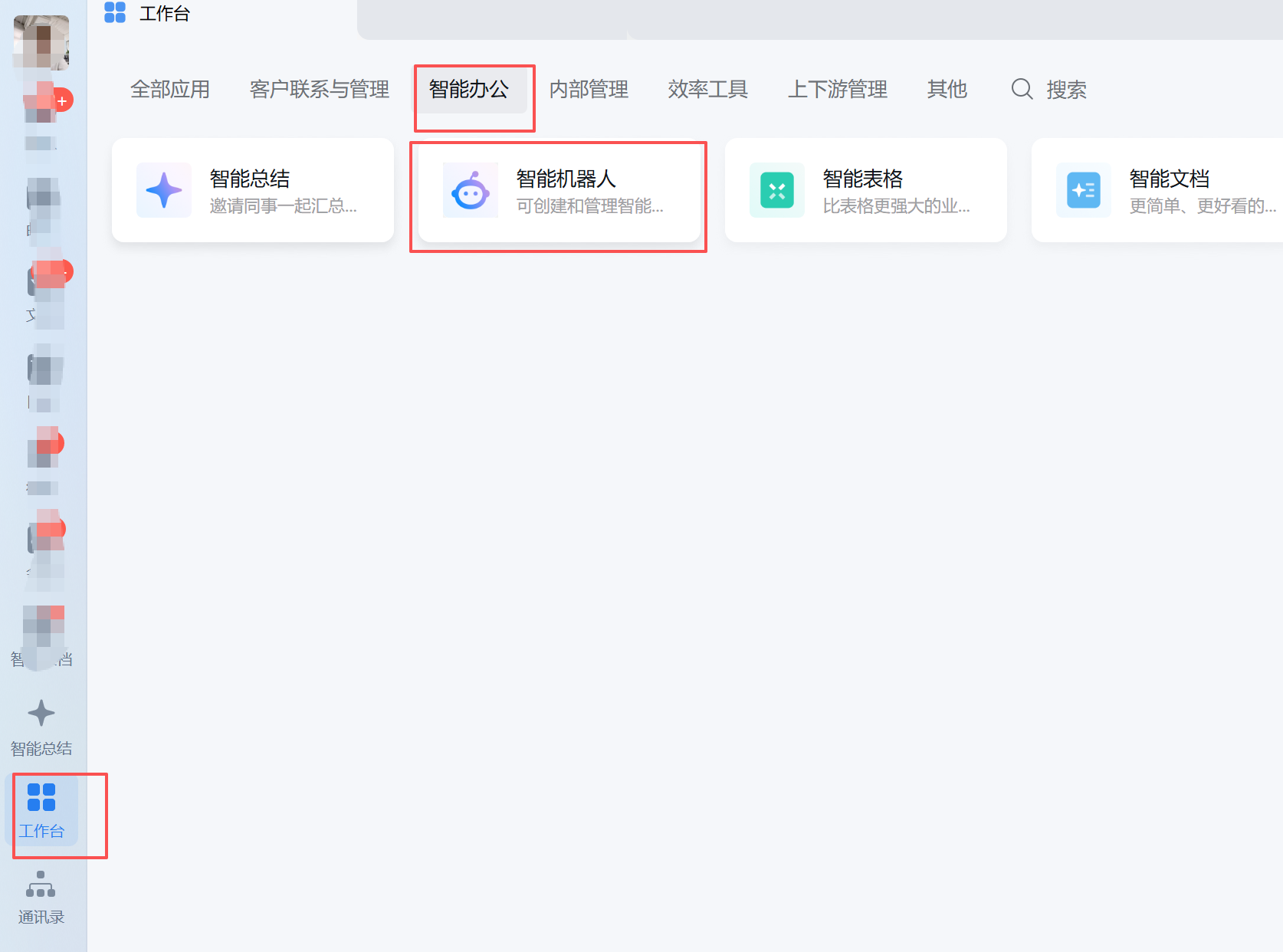
在工作台的「智能办公」分类下可以找到「智能机器人」。
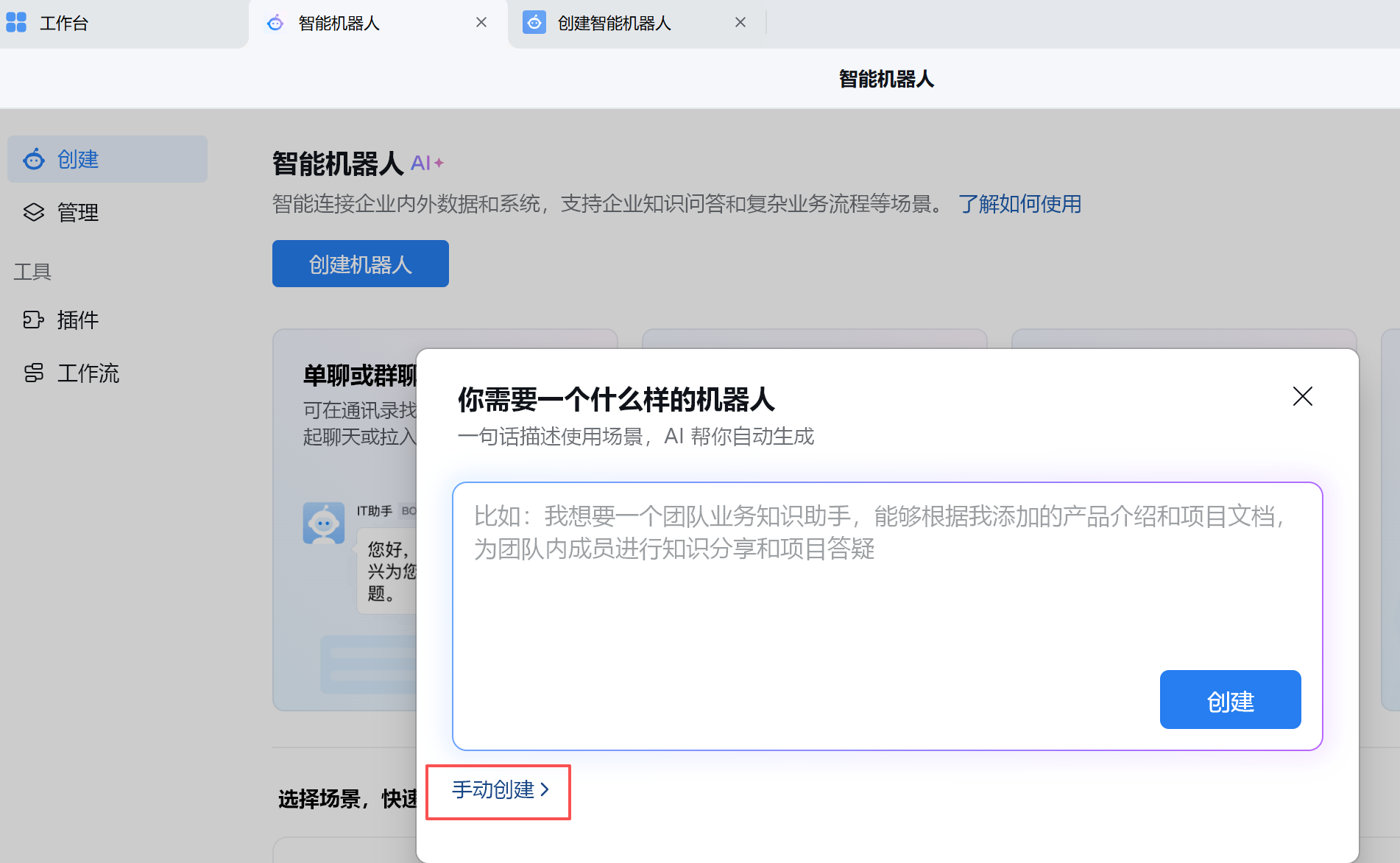
第二步:选择手动创建
点击「创建机器人」,在弹出的对话框中选择左下角的「手动创建」。
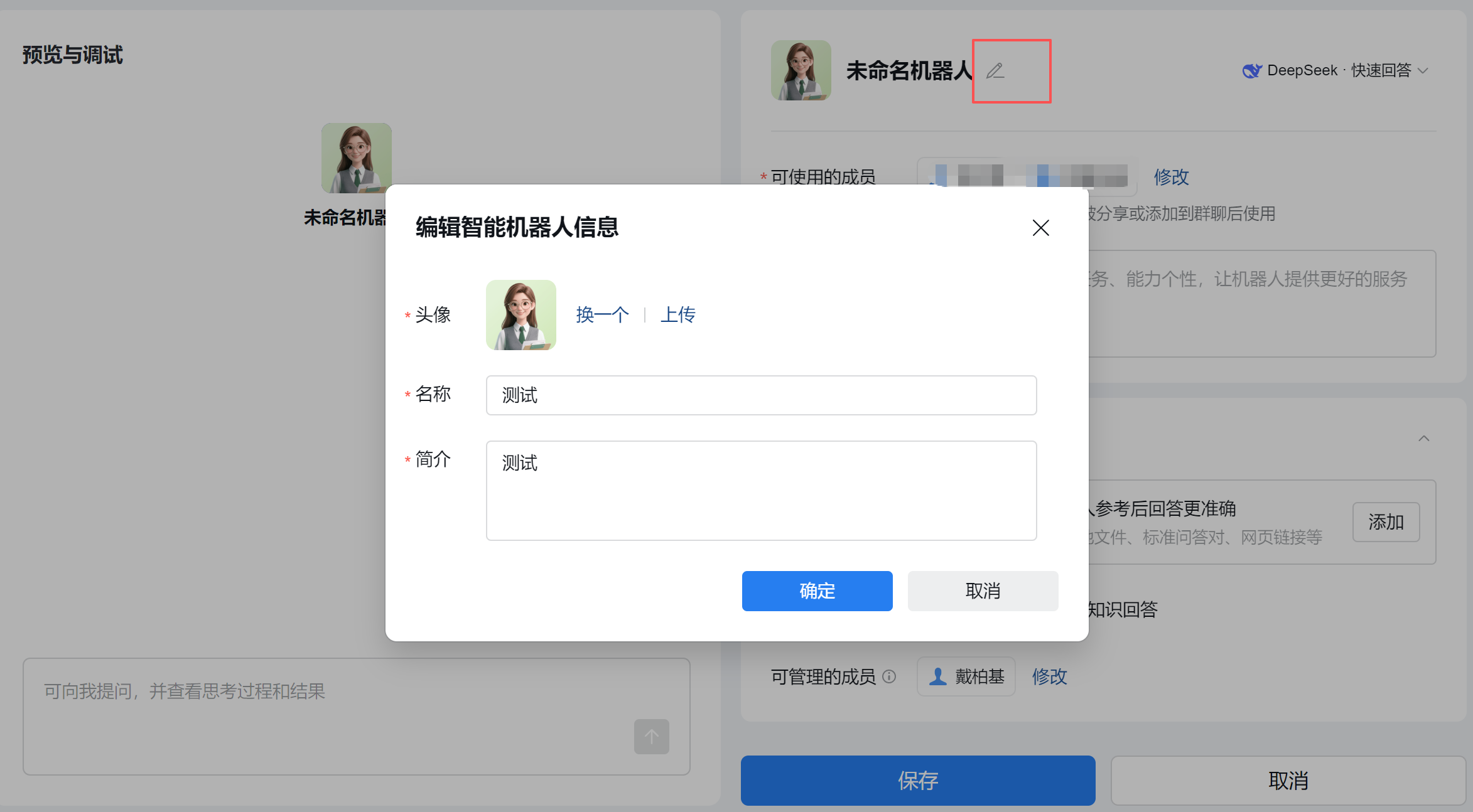
第三步:设置名称和简介
填写机器人的名称和简介信息。
第四步:选择 API 模式
页面拉到底部,点击「API 模式」创建。
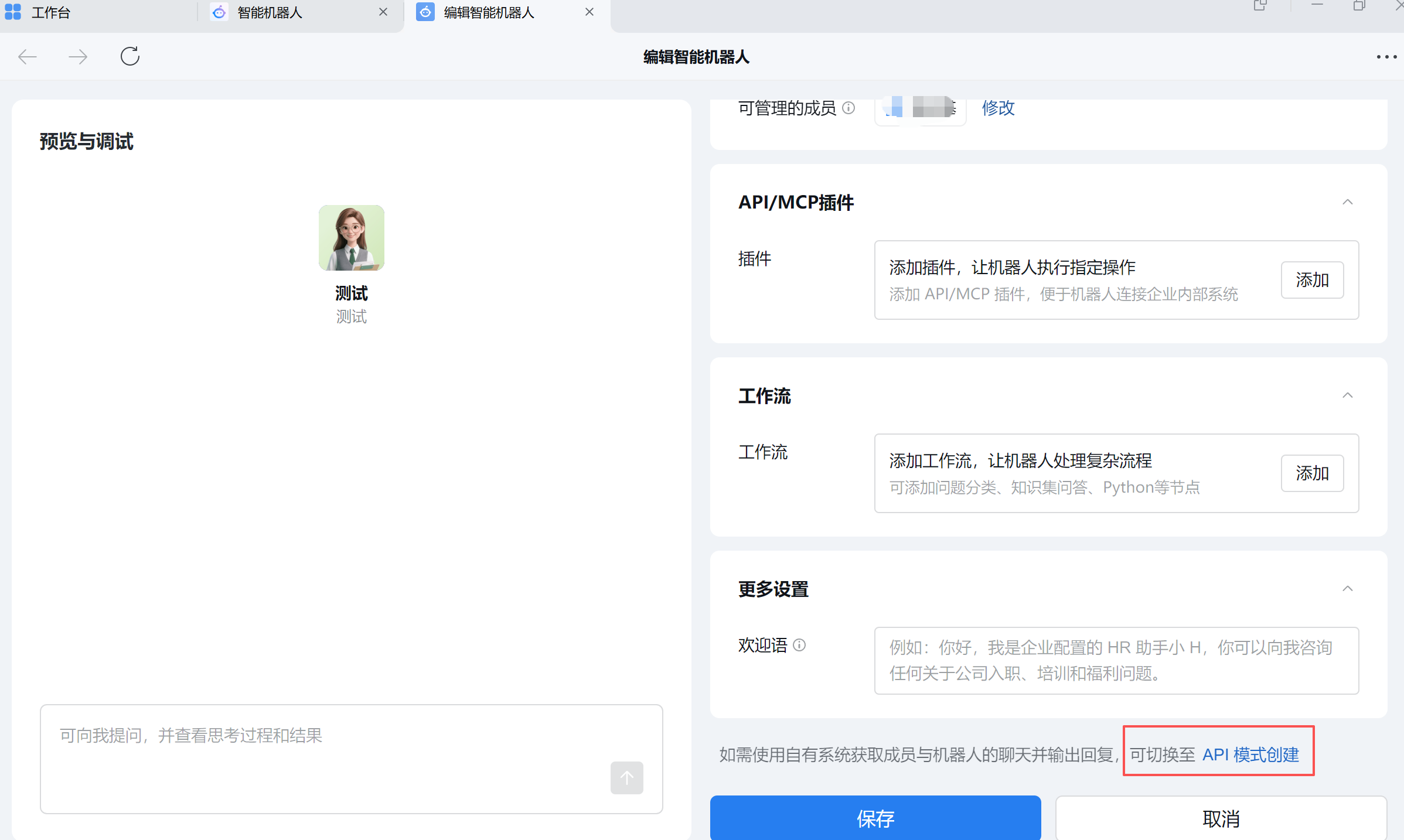
第五步:配置连接方式
创建完成后进入机器人配置页面,按以下步骤操作:
- 连接方式选择「使用长连接」(默认已选中)
- 记录页面上的 Bot ID 和 Secret(点击获取)

长连接模式的优势:无需域名或 IP 即可接收消息并返回结果。
第六步:在 TPCLAW 中配置
打开 TPCLAW 控制台,进入「设置」→「通道管理」,找到「企业微信长连接」区域:
- 点击「+ 添加账号」
- 填写 Bot ID 和 Secret
- 设置账号名称、消息策略、绑定智能体
- 点击保存
配置完成后,在企业微信中找到机器人即可开始对话。
账号配置说明
| 配置项 | 说明 |
|---|---|
| 账号名称 | 标识该企业微信账号的名称 |
| 启用状态 | 开关控制该账号是否生效 |
| 私聊策略 | 私聊消息的接收策略(允许所有 / 仅白名单 / 禁用) |
| 群聊策略 | 群聊消息的接收策略(允许所有 / 仅白名单 / 禁用) |
| Bot ID | 企业微信智能机器人的 Bot ID |
| Secret | 企业微信智能机器人的密钥 |
| 加载历史 | 开启后每次对话会加载历史消息作为上下文 |
| 绑定智能体 | 该企业微信账号绑定的智能体 |
消息策略说明
| 策略值 | 说明 |
|---|---|
| 允许所有 | 接收所有用户/群组的消息 |
| 仅白名单 | 仅接收白名单中的用户/群组消息 |
| 禁用 | 不处理该类型的消息 |
多账号配置
TPCLAW 支持添加多个企业微信机器人账号,每个账号可以绑定不同的智能体:
- 在企业微信中创建多个智能机器人
- 在 TPCLAW 中分别添加账号并配置 Bot ID 和 Secret
- 为每个账号设置独立的私聊/群聊策略
- 将不同账号绑定到不同智能体
故障排查
消息未收到
- 检查账号的启用状态是否开启
- 确认消息策略配置正确(非「禁用」)
- 检查企业微信机器人是否已发布
- 查看 TPCLAW 服务日志
连接失败
- 确认 Bot ID 和 Secret 是否正确
- 检查网络连通性
- 确认企业微信机器人已选择「长连接」模式
消息发送失败
- 检查 Secret 配置是否正确
- 确认机器人权限配置
- 查看服务日志
YAML 配置参考
除了通过控制台界面配置外,也可以直接编辑配置文件:
yaml
channels:
  wecom:
    enabled: true
    accounts:
      default:
        name: "默认企业微信"
        enabled: true
        corp_id: "xxx"               # 企业 ID
        secret: "xxx"                # 应用 Secret
        agent_id: 100001             # 应用 AgentId
        encoding_aes_key: ""         # 可选,消息加密 Key
        token: ""                    # 可选,回调验证 Token
        dm_policy: "allow"           # 私聊策略:allow / disabled
        group_policy: "allow"        # 群聊策略:allow / disabled
绑定配置
yaml
bindings:
  - agent_id: "main"
    match:
      default: true
      channel: "wecom"
      account_id: "default"