
技能管理
技能是预定义的任务模板,封装了特定的能力和知识,通过技能可以无限扩展智能体的能力。
概述
技能使用 Markdown 格式存储,定义了触发条件、执行步骤和输出格式。TPCLAW 支持两种管理方式:
- 全局技能:所有智能体共享,在「技能」菜单中管理
- 本地技能:仅特定智能体可用,在智能体编辑器的「技能」标签页中管理
兼容性
TPCLAW 兼容市面上主流 AI 平台的技能格式,可以直接导入使用:
- OpenClaw 技能
- Claude Code 技能(slash commands)
- 其他兼容 Markdown 格式的技能
只要是 Markdown 格式的技能文件,都可以直接上传到 TPCLAW 使用。
管理技能
点击左侧菜单「技能」进入技能管理页面,可以查看、创建、编辑和删除全局技能。
创建技能
点击「+ 创建技能」按钮,在弹出的对话框中填写:
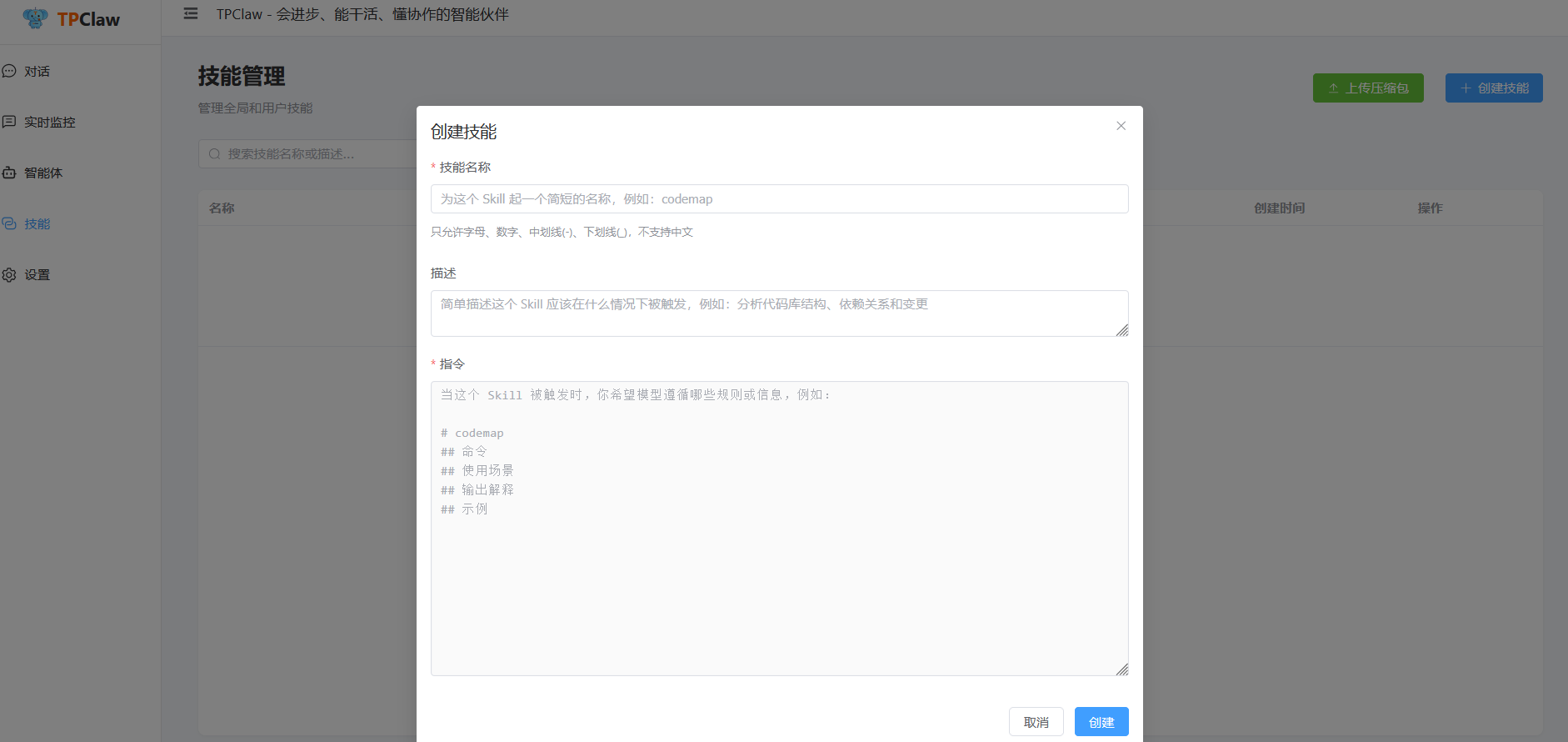
| 字段 | 说明 |
|---|---|
| 技能名称 | 简短的英文标识,只允许字母、数字、中划线、下划线 |
| 描述 | 描述该技能在什么情况下被触发 |
| 指令 | 技能被触发时,模型应遵循的规则和步骤 |
指令区域支持 Markdown 格式,建议按以下结构编写:
# 技能名称
## 使用场景
## 执行步骤
## 输出格式
## 示例
上传技能
支持通过上传 ZIP 压缩包批量导入技能:
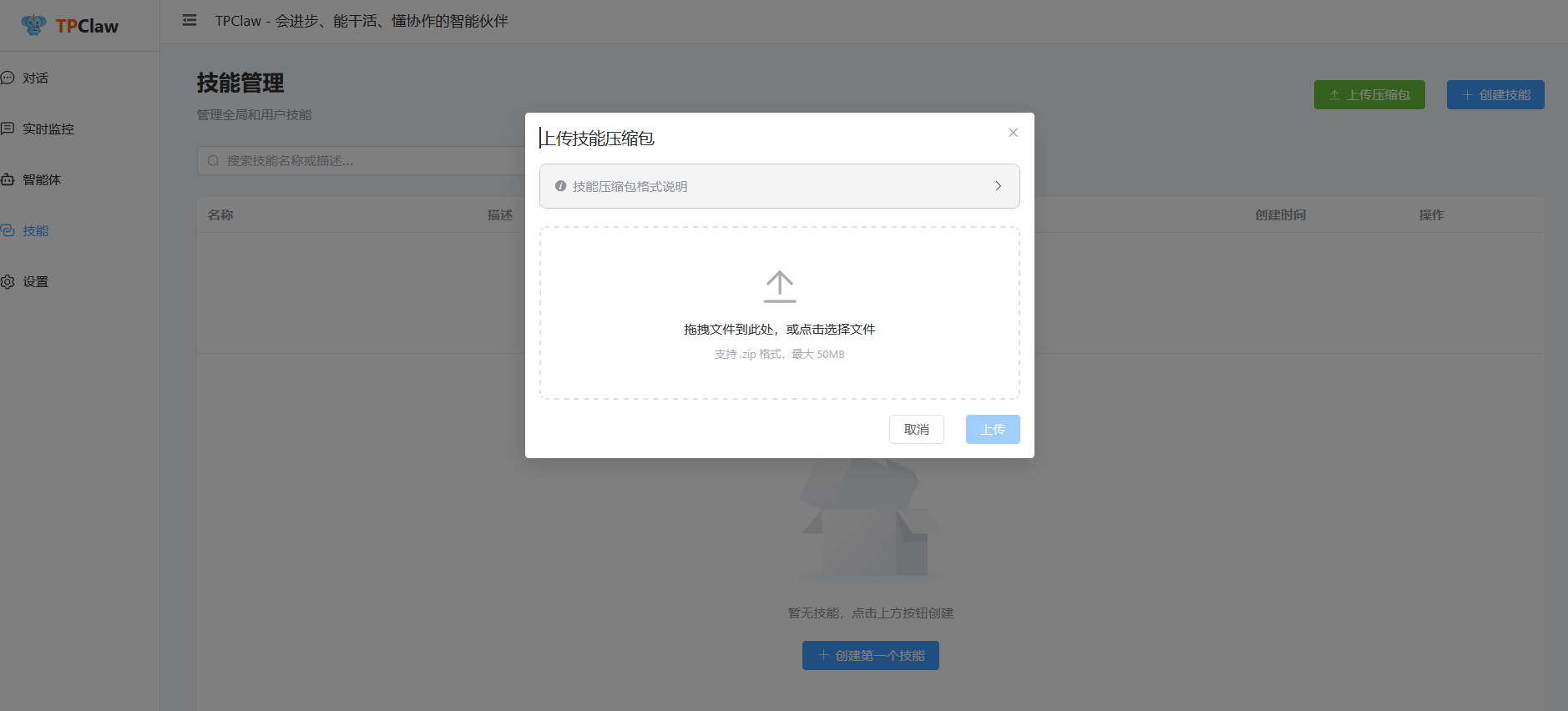
- 支持拖拽或点击选择文件
- 仅支持
.zip格式,最大 50MB - ZIP 包内的
.md文件会自动识别为技能文件
点击弹窗中的「技能压缩包格式说明」可查看详细的格式要求。
禁用技能
在智能体的技能管理页面,可以为每个技能启用或禁用。
使用场景
- 临时禁用某个技能进行调试
- 保留技能配置但不希望智能体使用
- 测试不同技能组合的效果
说明
- 禁用状态存储在智能体的 skill 工具配置中,仅对当前智能体生效
- 同一个技能在不同智能体中可以有不同的启用/禁用状态
- 删除技能时会自动清理禁用列表
- 禁用的技能在列表中会显示为半透明并带删除线样式
智能体本地技能
在智能体编辑器中切换到「技能」标签页,可以为单个智能体配置本地技能。本地技能仅该智能体可用,适合专属能力配置。
详见 智能体管理。
技能文件格式
技能使用 Markdown 格式,包含 YAML frontmatter 元数据:
markdown
---
name: weather
description: 查询天气信息
---

# 天气查询技能

## 使用场景
- 用户询问天气
- 需要了解天气状况

## 执行步骤
1. 确认城市名称
2. 调用搜索工具查询天气
3. 返回格式化结果

## 输出格式
**{city} 天气预报**
温度: {temp}°C